Help, Information & Documentation
Please see our Online HELP for all questions regarding downloading, installing, configuring, using and setting up your GPS.
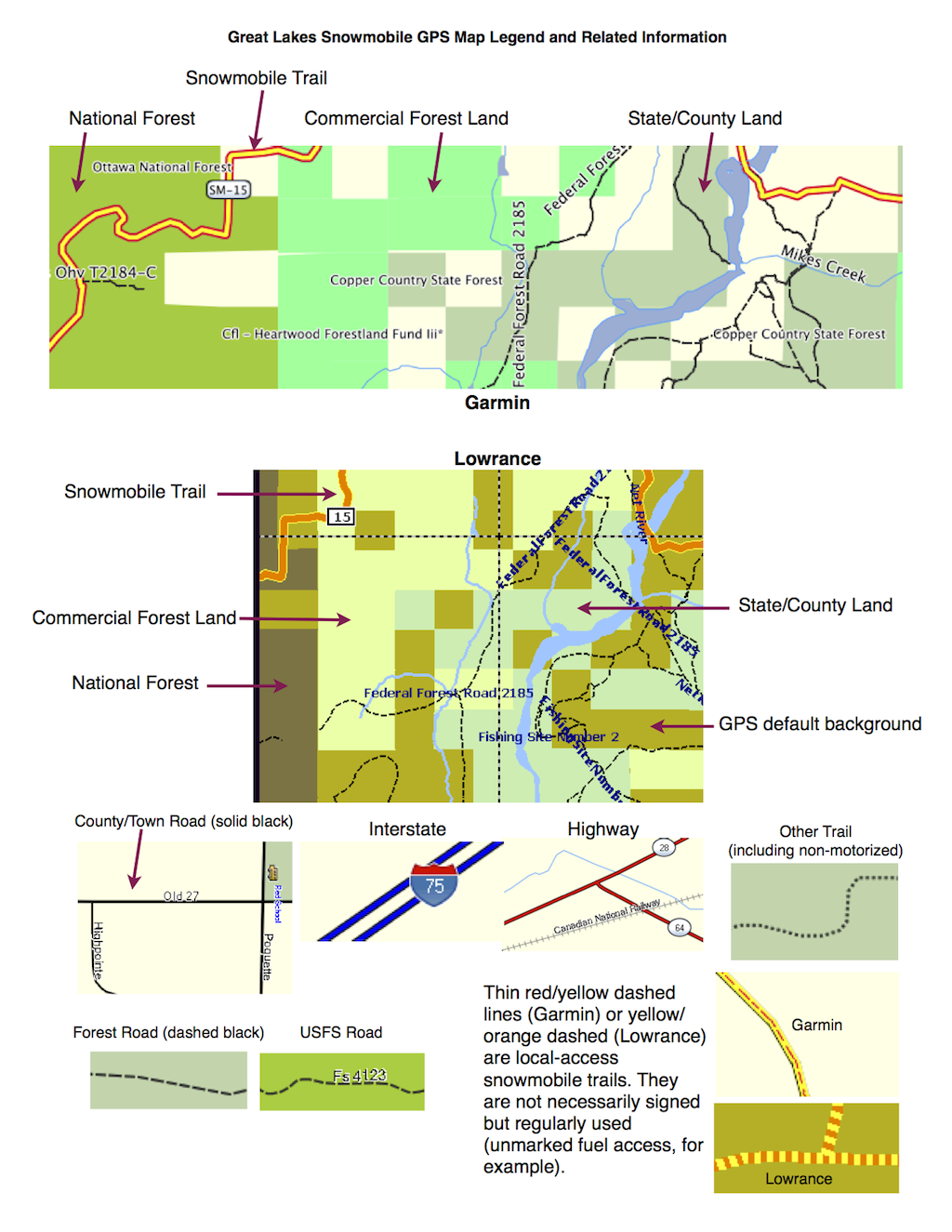
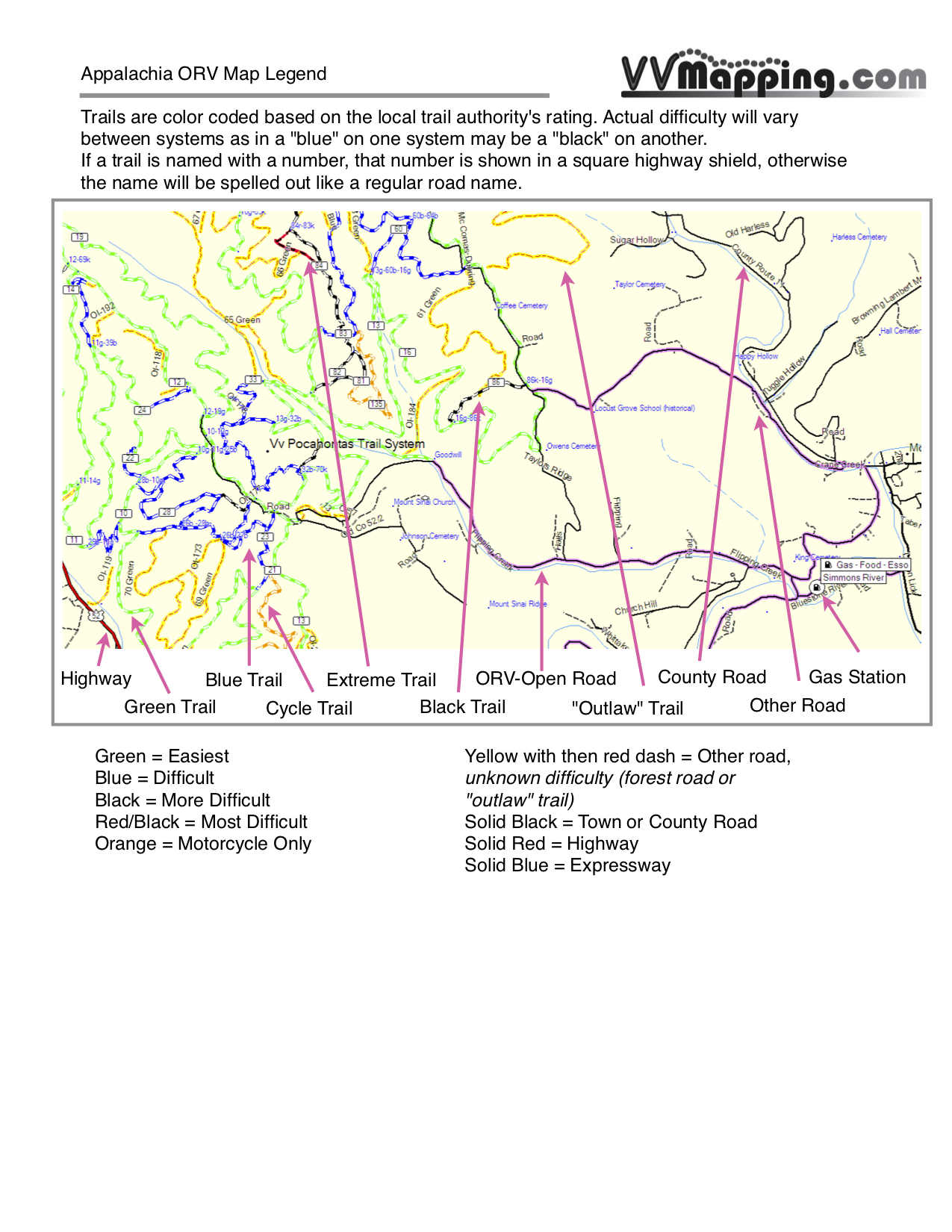
Map Legends:
Great Lakes ORV - Great Lakes Snowmobile - Appalachia ORV
Frequently Asked Questions:
What are our upgrade/update
policies?
All GPS Map packages include 12 months of updates. After that first year, you can continue with updates for by ording an "additional year of updates" from our online store. As the name implies, it provides another 12 months of updates. Can skip a year and still pick up the latest maps and all updates that come out during the following year.
Will these maps work
with your GPS?
Probably if it's a Garmin GPS, Lowrance GPS or and Android tablet that has GPS and a Card Slot. Please see our
list.
Do these maps support automatic
routing?
Yes, on Garmin units our maps are fully routable and will provide turn by turn directions on the trail. Lowrance and tablets unit do not support this feature.
Should you uninstall our old maps before installing a new version?
Generally, no. Our installer will replace all of the relevant files during the install process.
Can the maps be downloaded over
the Internet or do you need to wait for the preloaded card in the
mail?
Maps purchased online can generally
be downloaded immediately after purchase (when using credit card
or similar electronic payment). Most of the map installers are
pretty big - 500+ megabytes - and can take a very long time
to download. No downloads are required. A preloaded card is shipped to you, all of the GPS Map packages include a preloaded card. We recommend waiting for and using our card. Our online help covers this and more in detail.
Is the memory card included?
Yes, all of our GPS maps include a preloaded microSD memory card with SD Adaptor (fits little and bigger slots). There are other extra cost options such as additional memory cards (have more than one GPS?), CD (another way to install maps to your computer) and USB Card Readers (another way to connect the card to your computer). As indicated above, downloads are also included if you don't want to wait for the card from us.
Can you load different map products
at the same time? How about with a unit with maps already loaded
on it?
On Garmin and on Android Tablets, you can install more than one map and turn them on/off individually. Lowrance is limited to one map per card. Our online help covers this and more in detail.
Is there an app available for my Android or Apple phone/tablet?
Currently Android tablets with GPS and card slots can be used with our maps using the free OruxMaps (not the Play Store version). Configuration of the app is required. Does not support turn by turn or search like Garmin units can. Nothing for iPhone/iPad at this time (yes, we are working on it).
I don't see my GPS model on the list.
In order to keep the model list short enough to fit on the page, we have condensed many models into a series or family. For example, the Nuvi 205W is part of the 2xx series (where "X" represents any number). The Nuvi 260 is part of the same 2xx series. The Montana 610 and Montan 650 are both part of the "Montana" line. The Drive 50 is in the Drive series, same with the DriveSmart 61. We ask for model to ensure the card is loaded properly for that brand and model. Many models can use the same setup, but some are "fussy" about names, locations, speed and size of cards and more.